
Repeater - Link
For use with various content types. Not to be used by itself
Content Type Details
- ID: 731
- Name: Repeater - Link
- Minimum user level: Contributor
- Compatible with page layouts: N/A
How to Use
A reusable link repeater used across many content types throughout the site. Enter the link text, select the link type (Internal, External, or Media), and fill in the corresponding link field — only one should be populated at a time. Depending on where it is used, a different content layout will be applied automatically:
text/primary-menu — renders a link on the left side of the header bar, used by the Left Global Links field of the Global Header.

text/secondary-menu — renders a link on the right side of the header bar, used by the Right Global Links field of the Global Header.

text/compact-menu — renders action buttons in the compact header, both in the mobile actions bar and the desktop header actions area. Only the first Right Global Link is shown on mobile; all are shown on desktop.
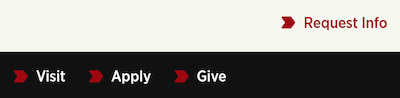
text/megamenu-primary — renders a primary section heading link within an expanded mega menu dropdown.

text/megamenu-item — renders an individual sub-link within a mega menu dropdown column, used by the Megamenu field of the Global Header – Menu Item.
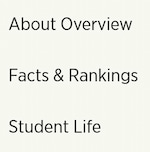
text/footer — renders a link in the footer's main navigation, used by the Footer Links field of the Global Footer (up to 12 links spread across three columns).

text/footer-bottom — renders a link in the footer's bottom bar, used by the Footer Bottom Links field of the Global Footer (up to 5 links, typically legal/policy pages).

text/CTA — renders a button-style link within the Section - Call to Action bar (up to 3 links).
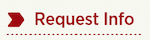
text/secondary — renders a link within the Navigation - Secondary Menu horizontal bar.
text/imagerouter — renders a destination link within the Router Panel - Image and Router Panel - Text content types.

Content Type Elements Details
| Name | Description | Size | Type | Required | Conditionally Shown |
|---|---|---|---|---|---|
| Name | Displayed only in the Platform. Use a specific name that describes the content’s purpose. | 80 Characters | Plain Text | Yes | No |
| Link Text | This is the clickable text | 150 Characters | Plain Text | Yes | No |
| Link Type | Select the type of link Choose from options: Internal, External, Media | N/A | Select Box (List: Link Type) | Yes | No |
| Link (Internal) | Select a section or piece of content within your site to send your visitor. | N/A | Section/Content Link | No | Yes |
| Link (External) | Paste a full URL from another website (including https://). Only enter this if you are NOT entering an Internal Link. | 200 Characters | Plain Text | No | Yes |
| Link (Media) | Select a PDF from the Media Library for a visitor to open. Only enter this if you are NOT entering an internal or external link. | N/A | Media | No | Yes |